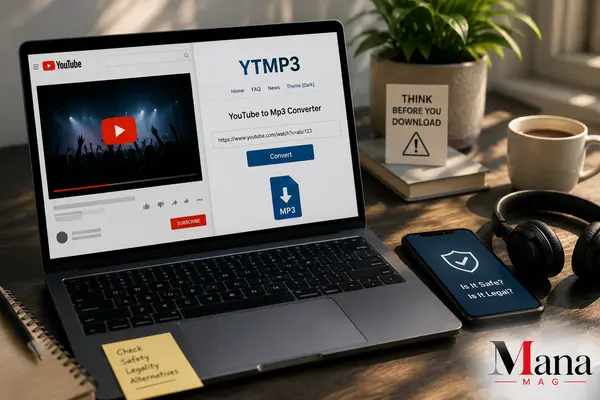
YTMP3 shows up constantly in searches for “YouTube to MP3,” and it’s easy to see why the idea is appealing: paste a link, get an audio file, done. But before you use one of these tools, there are two separate questions worth answering honestly: is it legal, and is it safe. The answers aren’t the same for every situation, and getting them wrong can cost you more than a few minutes of annoyance.
What YTMP3 Actually Does
YTMP3 is a category of free web tool (there are several sites using this name or close variations) that extracts the audio track from a YouTube video and converts it into a downloadable MP3 file. You paste a video URL, the site pulls the audio stream, converts it, and gives you a file to save. No account, no software installation required for the basic version, which is part of why it’s stayed popular for years despite YouTube and rights holders repeatedly pushing back against this category of tool.
The Legal Reality (Read This Before You Convert Anything)
Here’s the part most quick guides skip past too fast: converting a YouTube video to MP3 isn’t automatically illegal, but downloading copyrighted content without permission is, and that’s what most people are actually doing when they use one of these tools on their favorite song.
A few things are true at the same time:
- YouTube’s Terms of Service prohibit downloading content unless YouTube itself provides a download option (like YouTube Premium’s offline feature). Using a third-party converter violates those terms regardless of what you’re downloading.
- Copyright law is what actually determines legality of the content itself. If you’re converting a major label’s official music video, that audio is copyrighted, and downloading it without permission is copyright infringement in most countries, separate from the YouTube TOS issue.
- Some content is genuinely fine to convert. Videos you uploaded yourself, content explicitly released under a Creative Commons or public-domain license, tracks pulled from the YouTube Audio Library (which is built for this exact purpose), and anything where the rights holder has clearly granted permission are legitimate to download.
- Enforcement against individual users is rare, but the tool operators have been targeted directly. Rights holders and industry groups have pursued legal action against several YouTube-to-MP3 services over the years, though most individual users haven’t faced lawsuits for personal, non-commercial downloads. That’s different from saying it’s risk-free; it just means the practical enforcement pattern targets platforms more than casual users.
The honest bottom line: if you own the content, have explicit permission, or the video is licensed for free reuse, converting it is legitimate. If you’re downloading someone else’s copyrighted music without permission, you’re in copyright-infringement territory even if nobody ever contacts you about it.
Read: YouTube Converter Guide: Tools, Formats, Legal Rules, and Safety Tips for 2026
The Safety Problem Is Bigger Than the Legal One
Here’s what actually trips up most people who search for this tool: it’s not a lawsuit, it’s their device. Numerous independent security reviews have documented the same pattern across YTMP3 and its many lookalike domains (ytmp3.cc, ytmp3.nu, and others):
- Fake “Download” buttons. Instead of your MP3, clicking the wrong button triggers a download of unrelated software, sometimes bundled with adware or worse.
- Deceptive pop-ups. Some versions show fake system warnings (“Your device is infected!”) specifically designed to scare you into installing fake antivirus software, which is itself the actual malware.
- Notification permission traps. A prompt asks you to click “Allow” to “verify you’re not a robot” or “continue.” Accepting it doesn’t unlock your download; it gives the site permission to send you intrusive ads directly to your desktop or phone, even after you’ve closed the tab.
- Browser hijacking. Some users report their homepage, default search engine, or new-tab page changing after visiting one of these sites, tied to bundled browser extensions installed without clear consent.
- Redirects to phishing pages. Ad networks used by free converter sites are often lower-tier and less vetted than mainstream advertising, which means a higher chance of landing on a scam or phishing page mid-conversion.
None of this means every single YTMP3-branded site is malicious. But the pattern shows up often enough, across enough independent security write-ups, that it’s worth treating any free YouTube-to-MP3 site with real caution rather than assuming it’s harmless just because the interface looks simple.
How to Reduce Risk If You’re Going to Use a Converter
If you’re converting content you actually have the right to download (your own uploads, Creative Commons material, royalty-free tracks), a few habits cut down the risk significantly:
- Use an ad blocker before you visit the site, not after. This alone stops a large share of the malicious pop-ups and fake buttons.
- Never click “Allow” on a notification permission prompt from one of these sites. Legitimate file conversion doesn’t require notification access.
- Only click the button that’s clearly labeled with your file format (MP3, in this case). If a button says “Download Now” with no format label, or opens a new tab instead of starting a download, close it.
- Don’t install anything the site prompts you to install. A browser-based converter never needs you to install software, a plugin, or an “update” to finish the job.
- Run a scan afterward if anything felt off. If you clicked through a pop-up or installed something you’re unsure about, a quick antivirus scan is worth the two minutes it takes.
Read: YouTube to MP4: How to Convert Videos, Pick the Right Resolution, and Avoid the Common Traps
Legal, Safer Alternatives Worth Knowing About
If what you actually want is offline access to music or audio, there are options that skip the legal gray area and the malware risk entirely:
- YouTube Premium lets you download videos and audio directly through YouTube’s own app for offline playback, fully within YouTube’s terms.
- Spotify, Apple Music, and similar subscription services offer offline downloads of licensed music at better audio quality than most converter tools produce anyway.
- The YouTube Audio Library provides free, downloadable, royalty-free tracks specifically intended for reuse, no converter needed.
- Direct downloads from artists or labels — plenty of independent musicians offer free or pay-what-you-want downloads through Bandcamp or their own sites, which is both legal and a better way to support the people who made the music.
Bottom Line
YTMP3-style converters aren’t automatically illegal or automatically dangerous, but the safe, legal use case is narrower than most people assume: content you own, have permission for, or that’s explicitly licensed for reuse. Convert someone else’s copyrighted music without permission and you’re in infringement territory, even if nobody ever follows up about it. And regardless of what you’re converting, treat the sites themselves carefully. The ads, fake buttons, and permission prompts around these tools cause far more real-world problems for users than any copyright notice does.
Read: USPS Tracking Number: How to Find, Look Up, and Read Yours
FAQ
Is using YTMP3 illegal?
Using the tool itself generally isn’t illegal, but downloading copyrighted content without permission is, and that’s the most common use case for tools like this. Converting your own content, public-domain material, or explicitly licensed audio is legitimate.
Can I get in trouble for downloading one song with YTMP3?
Individual users are rarely targeted directly for personal, non-commercial downloads, but that’s not the same as it being legal. Rights holders have pursued legal action against the platforms operating these tools far more often than against individual users.
Why do YTMP3 sites have so many ads and pop-ups?
Free converter tools rely on advertising revenue to stay online, and many use lower-tier ad networks that are less carefully vetted than mainstream advertising, which is why fake download buttons, deceptive pop-ups, and redirects show up so often on this category of site.
Is there an official YTMP3 website?
There are multiple sites using the YTMP3 name or close variations, and they aren’t all run by the same operator. That inconsistency is part of why safety varies so much between them; there’s no single verified “official” version to point to with confidence.
What’s the safest way to get offline audio from YouTube?
YouTube Premium is the only method that works fully within YouTube’s own terms of service, letting you download videos and audio for offline playback through the official app. For music generally, a subscription service like Spotify or Apple Music offers offline downloads at better audio quality with none of the legal or security concerns.
Does converting a video to MP3 remove the original creator’s ad revenue?
Yes, effectively. When you watch a video on YouTube, the creator earns revenue from the ads served alongside it. Downloading and listening to the audio separately bypasses that, which is part of why platforms and creators push back against this category of tool.

Must See
-


Sports
/ 2 months agoLos Angeles Chargers vs Detroit Lions Match Player Stats: 2025 Hall of Fame Game
The Los Angeles Chargers defeated the Detroit Lions 34-7 in the 2025 NFL Hall...
By Mica -


Sports
/ 2 months agoPittsburgh Pirates vs Mets Match Player Stats: August 2026 Game Breakdown
The Pittsburgh Pirates and New York Mets produced two very different games during their...
By Mica -


Sports
/ 2 months agoGolden State Warriors vs Orlando Magic Match Player Stats, Box Score and Game Analysis
The Golden State Warriors beat the Orlando Magic 120-97 on December 22, 2025, at...
By Mica